
Guides / Radios & screens
Car radios explained: which one is right for your car
The right radio is the one that physically fits your dash opening, keeps the factory features you care about, and has the outputs you'll need later. Brand and screen size come after that.
"DIN" is just the size of the hole in your dash. Single-DIN is short, double-DIN is twice as tall, and that decides what fits before anything else. Wireless CarPlay is what most people actually want; wired is a touch more reliable and charges your phone. If you have Bose, JBL or another premium system, you keep the factory amp with an interface instead of ripping it out.
Single-DIN vs double-DIN
Radio openings come in standard sizes (ISO 7736). A single-DIN opening is about 7" wide by 2" tall, one short slot. Double-DIN is the same width but twice as tall, the square opening that fits a touchscreen. Some radios are "floating" or large-screen: the chassis is single-DIN but the screen sits out in front, so they fit small dashes and still give you a big display.
Neither size is better for CarPlay. Both do CarPlay, Android Auto, Bluetooth, cameras and EQ. The difference is how they mount and how large the screen can be.
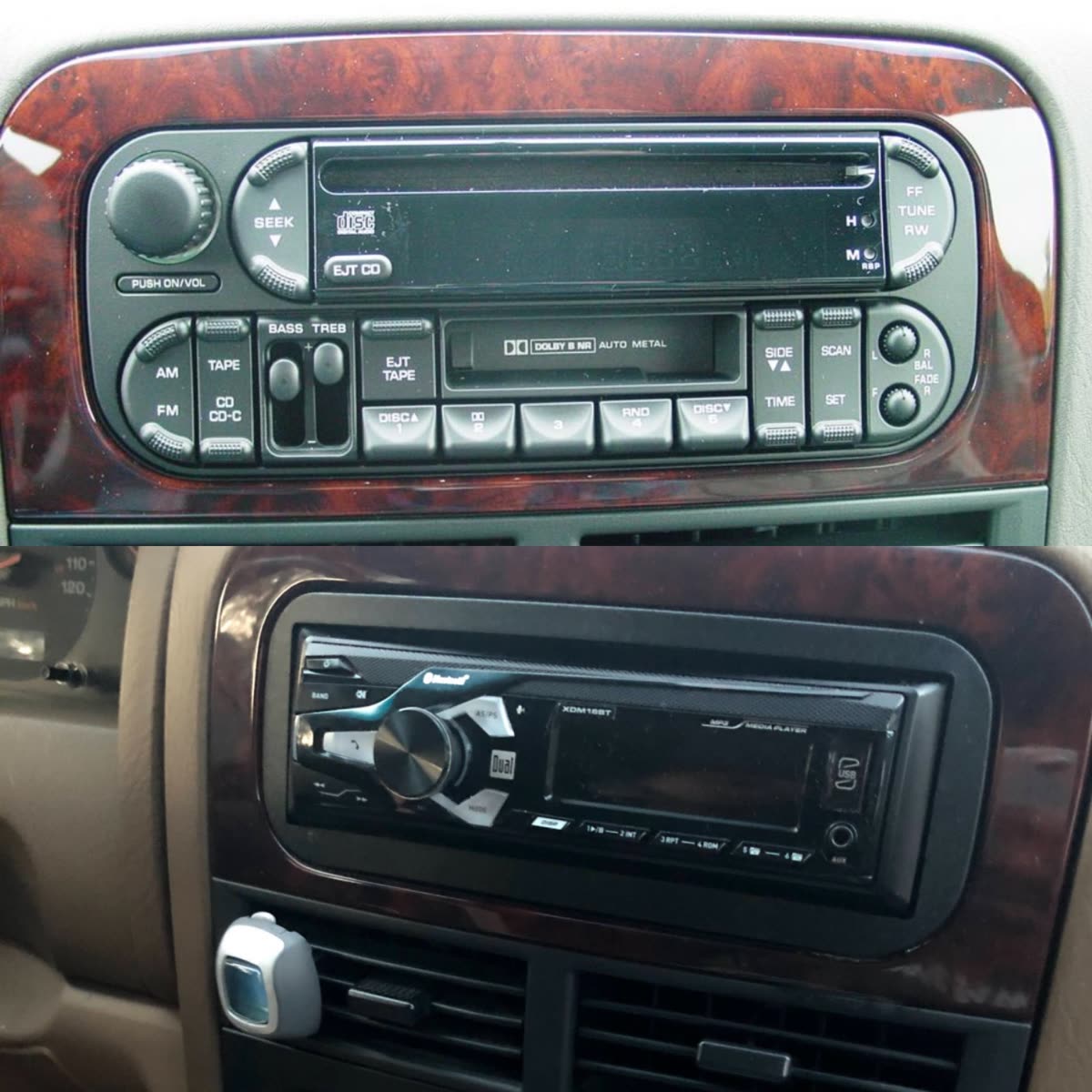
Mechless vs CD
Most modern radios are "mechless": no disc slot, just Bluetooth, USB and your phone. If you still play CDs, tell me up front. Disc units are getting rare.
Wired vs wireless CarPlay
Same apps, same look either way. Wired plugs into USB, is very reliable, and charges your phone. Wireless connects on its own when you get in. Cleaner, but it can occasionally lag and it won't charge your phone.
Screen quality
Look for a capacitive touchscreen (light touch, like your phone) instead of the older resistive kind that needs a firm press. Higher resolution looks sharper, especially on bigger screens.
Features that matter later
- Preamp (RCA) outputs for adding an amp down the road. More outputs and higher voltage (2V basic, 4V better) make a cleaner signal.
- Camera inputs. Most do one backup camera; some do front and rear.
- Steering-wheel-control compatible, so your volume and track buttons keep working.
- Maestro-ready (iDatalink) lets the radio show factory info and keep features on many vehicles.
- EQ / DSP to make the system sound right in your car.
Name-brand vs no-name Android units
Pioneer, Kenwood, JVC, Alpine and Sony cost more but come with the plastic bezel and wiring for a clean fit, honest power ratings, good Bluetooth, and real support. Cheap no-name Android units off Amazon look like a lot of screen for the money, but they very often ship without the dash kit or harness for your car (which are hard to find separately), and I see recurring Bluetooth dropouts and screen glitches. I'll steer you away from those.
Keep your factory screen instead
On a lot of cars with a nice built-in screen (Uconnect, iDrive, Lexus, Mercedes), it's better to add a wireless CarPlay module behind the factory screen than to replace the whole radio. You keep the stock look and every factory feature and just gain CarPlay and Android Auto.
Tesla-style vertical screens
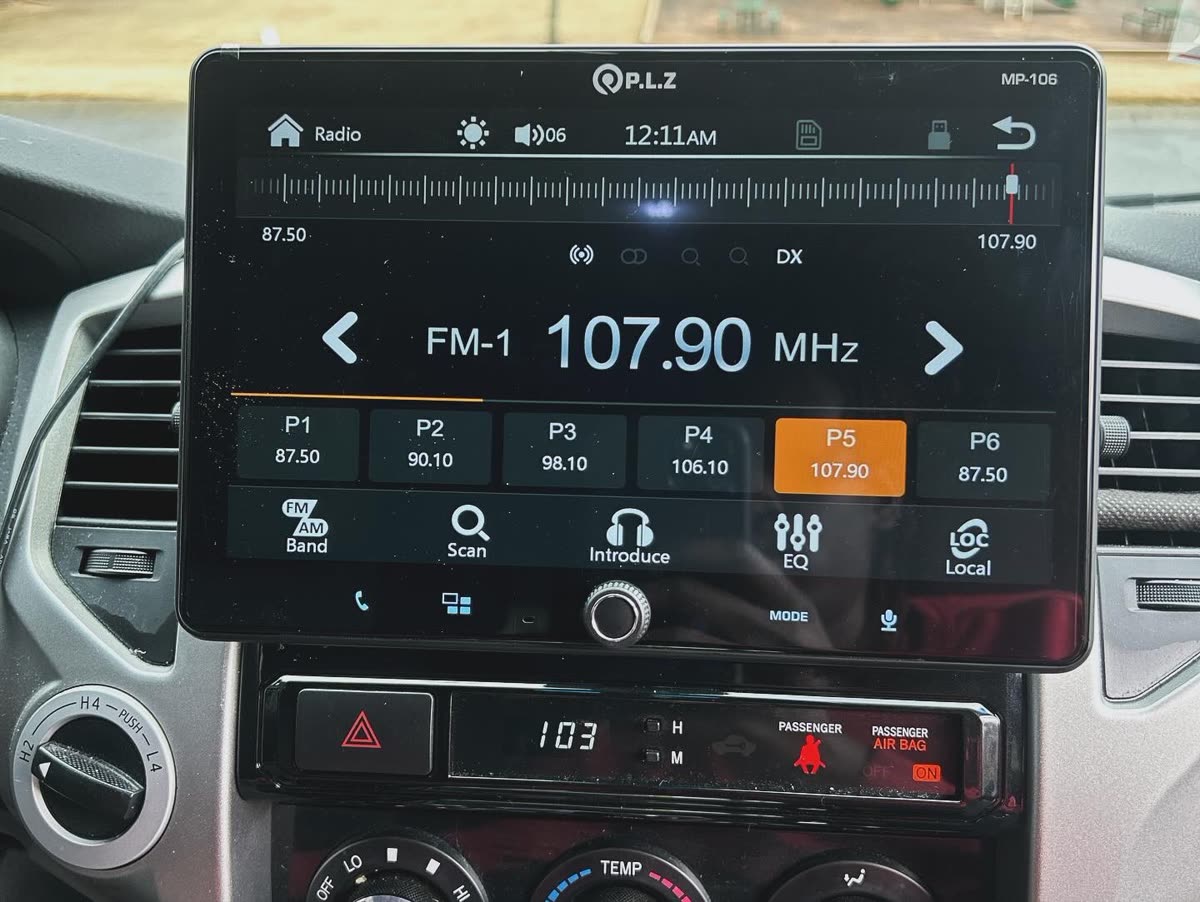
Big 9"–15" aftermarket touchscreens styled like a Tesla. Huge screen, lots of features, and on some trucks they integrate the climate controls. The catch: they're almost all made by smaller overseas brands, software can lag or need updates, and sound out of the box is only a little better than stock unless you add an amp. Great for the right person, not for everyone. More on Tesla-style screens.
| Type | Fits | Best for |
|---|---|---|
| Single-DIN | Short slot dashes | Simple upgrade, floating-screen option |
| Double-DIN | Tall square opening | Big built-in touchscreen |
| Factory-screen CarPlay module | Cars with good stock screens | Keeping the OEM look and features |
| Tesla-style vertical | Larger dashes, trucks | Maximum screen |
What you'll need for a typical swap
Radio + dash kit + wiring harness (or a data interface) + antenna adapter + steering-wheel-control adapter. The parts behind a radio install explains each one.
What it costs to install (labor only, parts separate)
Radio / CarPlay: from $125 · Radio + backup camera: from $175 · Maestro / iDatalink integration: +$50–75
Common mistakes
- Buying a no-name unit that arrives with no dash kit or harness for your car.
- Ignoring a factory amp or premium system and losing sound or chimes.
- Picking a giant screen that won't physically fit the dash.
- Skipping the antenna adapter and losing FM reception.
FAQ
Do I need a double-DIN for CarPlay?
No. Plenty of single-DIN and floating-screen units do CarPlay.
Will I lose my steering-wheel buttons?
Not with the steering-wheel-control adapter or Maestro.
Can I keep my backup camera?
Usually yes, with the right interface.
Is wireless CarPlay worth it?
For most people, yes. Wired is more reliable if you have connection trouble.
Should I just keep my factory screen?
Often yes if it's a nice screen. A module is cheaper and keeps the stock look.
What I need from you: year, make, model; a photo of your dash; whether you already have the equipment; your city.
Related: The parts behind a radio install · What is iDatalink Maestro · Backup cameras · Radios I recommend
Not sure what your car needs?
Text me your year, make, model and what you want done. I'll tell you what fits and what it costs.